01
Accurate Gear Profile Generation
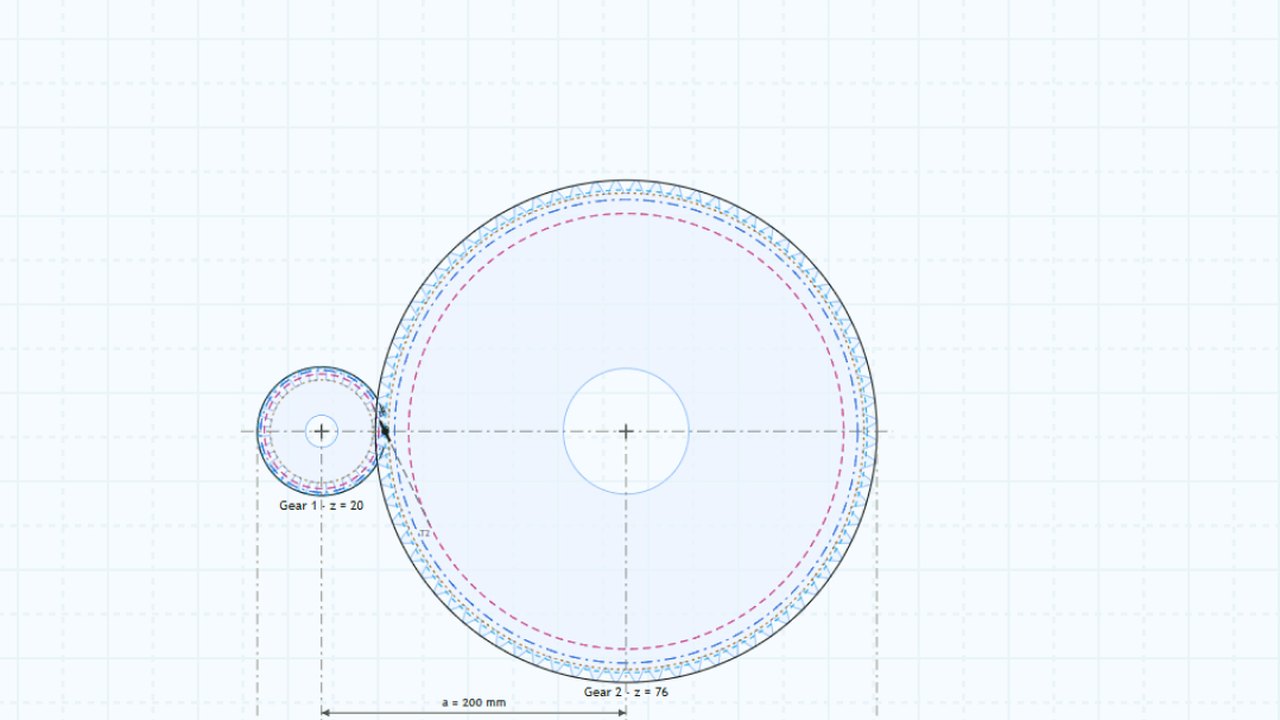
Generate accurate gear geometry with full control over module, helix angle, profile shift, reference profile and tooth tolerances.
Learn moreDesign. Calculate. Automate.
Powerful gear design and engineering calculations in your browser. Build better, faster.
Reliable, fast and flexible gear design in one intuitive platform, built for engineers, designers and manufacturers.
From precise profiles to automated workflows, GEARKITE simplifies every step of your gear design process.
Generate accurate gear geometry with full control over module, helix angle, profile shift, reference profile and tooth tolerances.
Learn more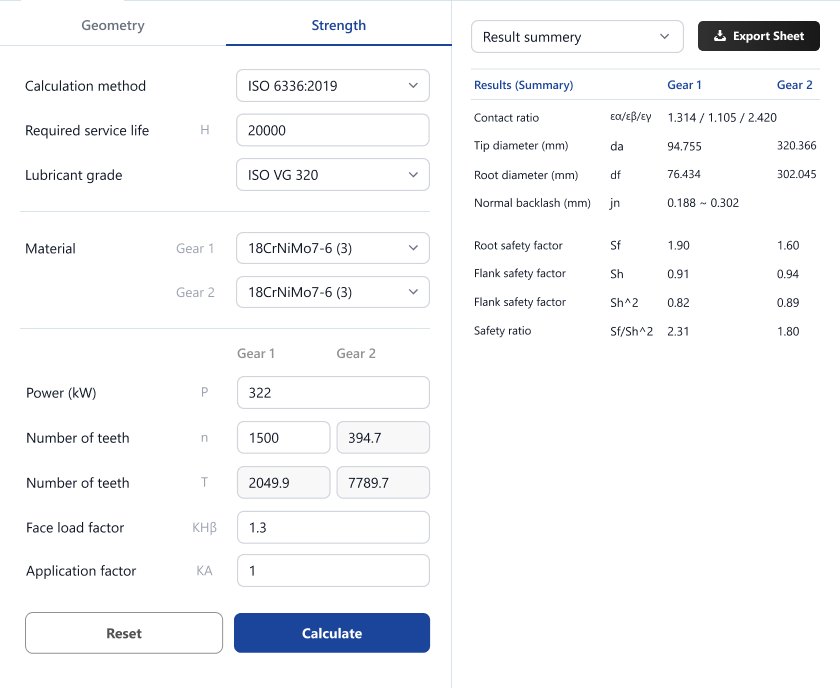
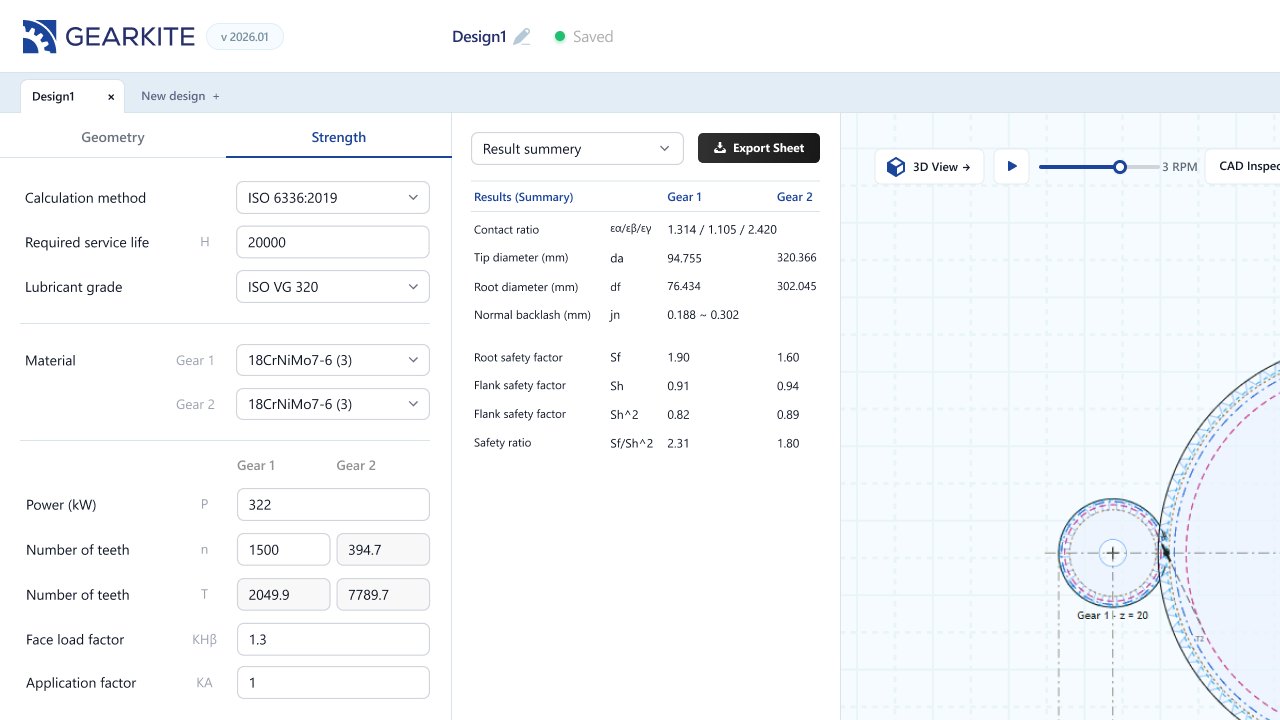
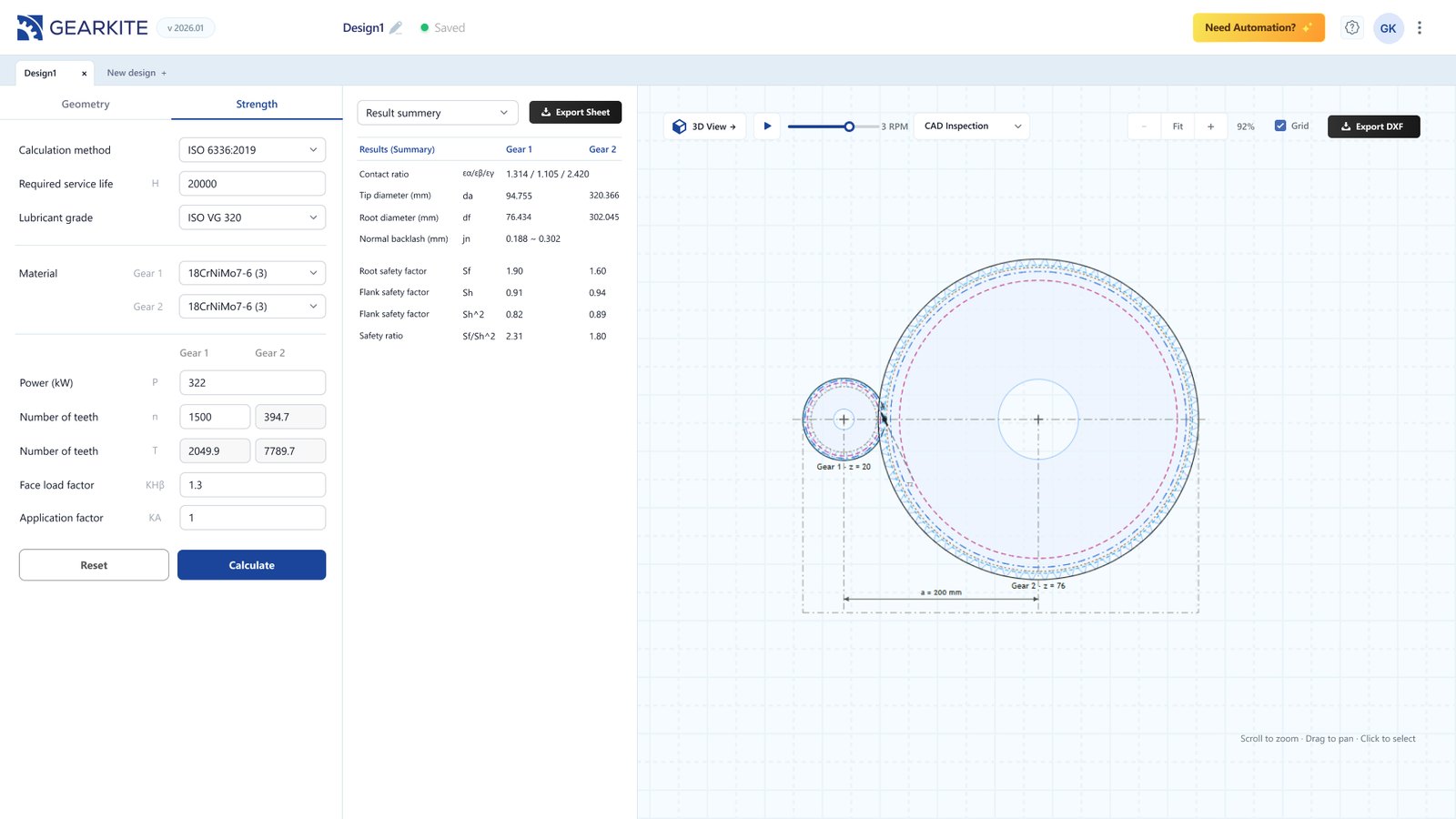
Geometry, strength inputs and results side by side. Change a value, click Calculate and see the effect immediately.
Learn more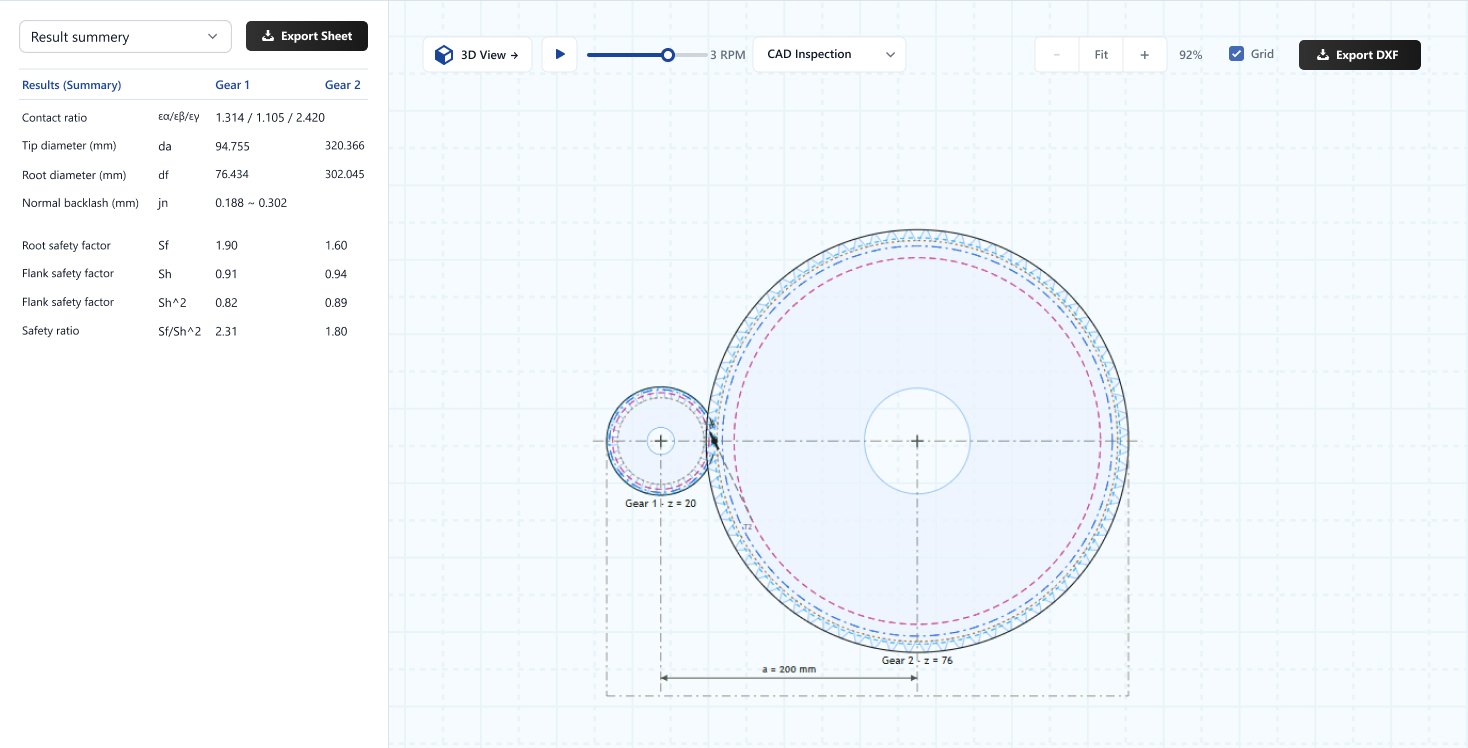
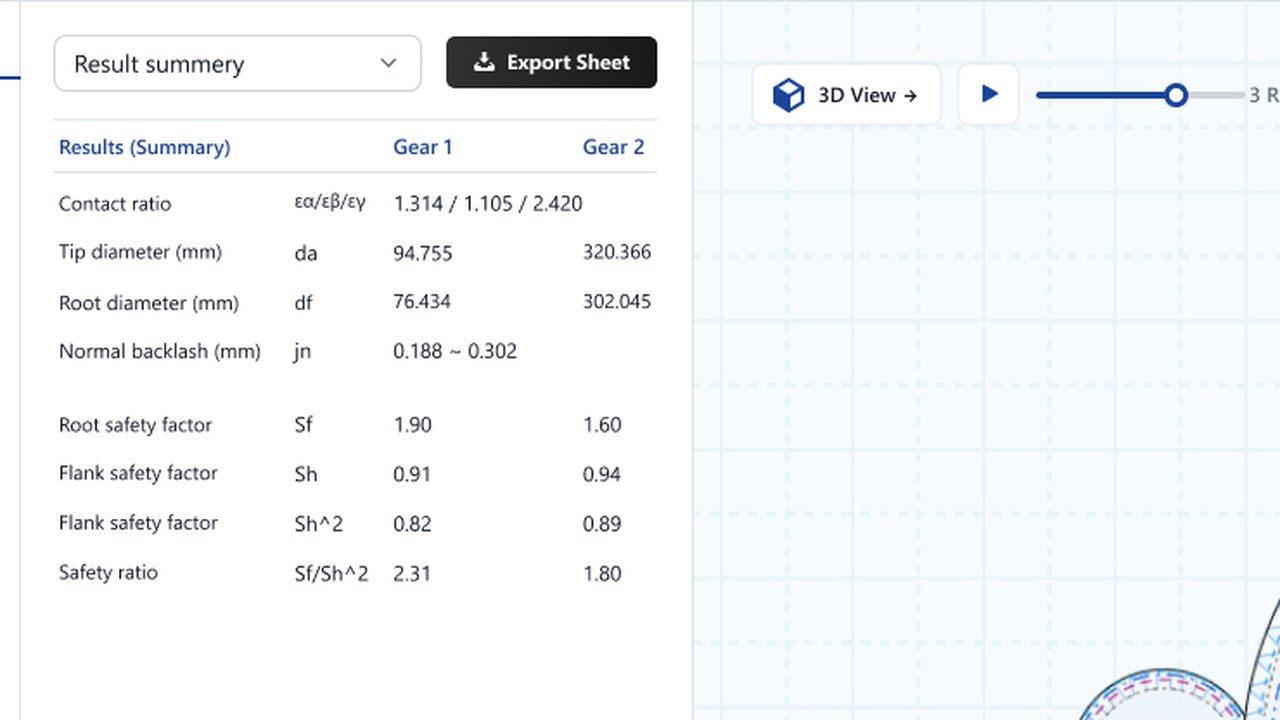
Tip and root diameters, contact ratio, normal backlash and safety factors, ready to export to a spreadsheet.
Learn more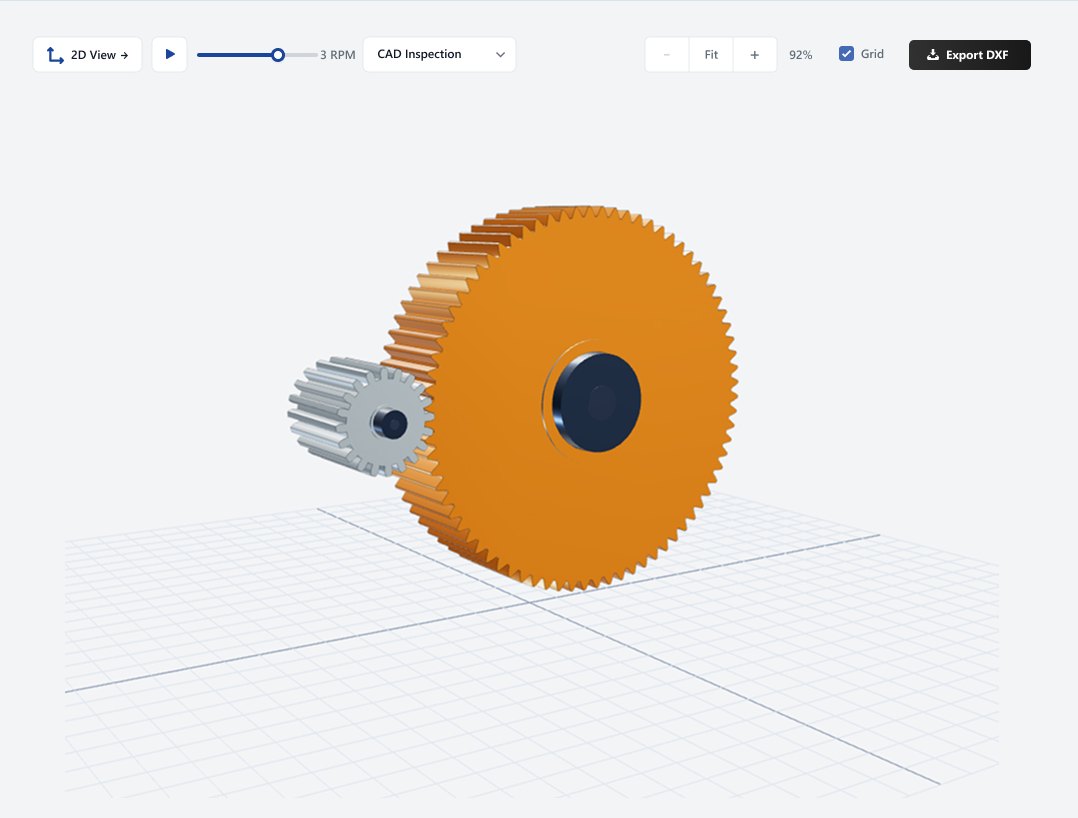
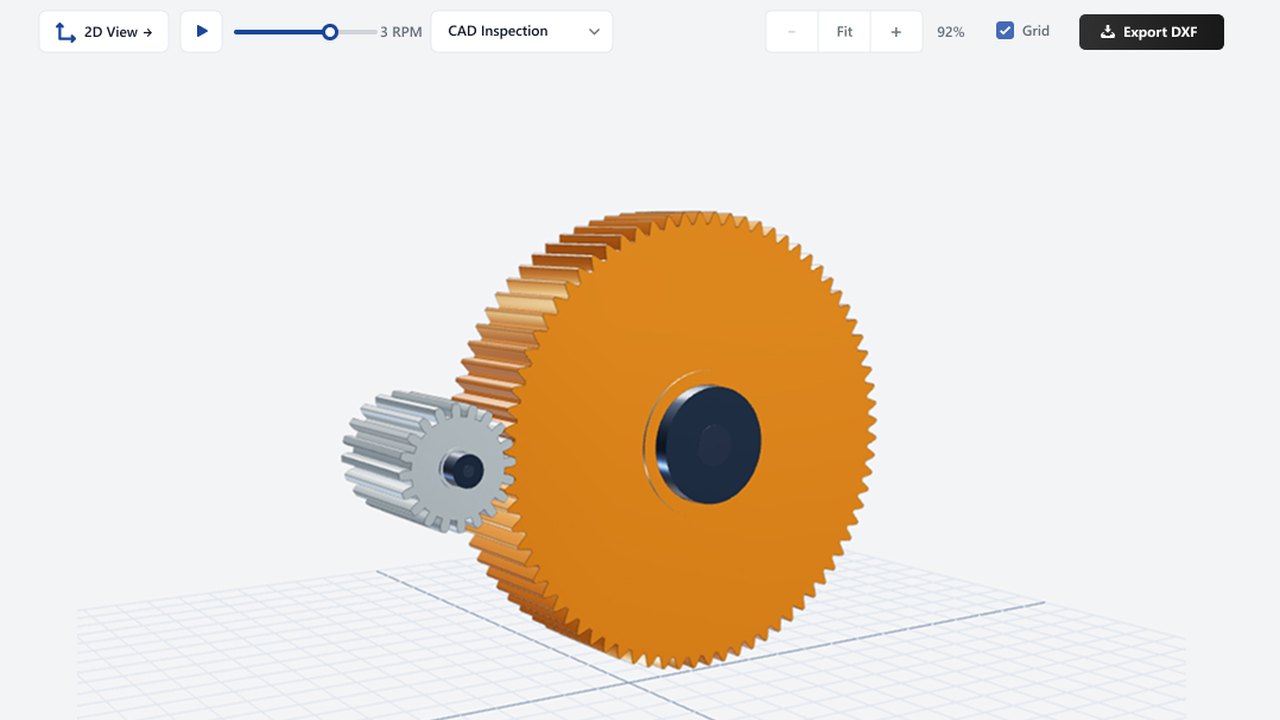
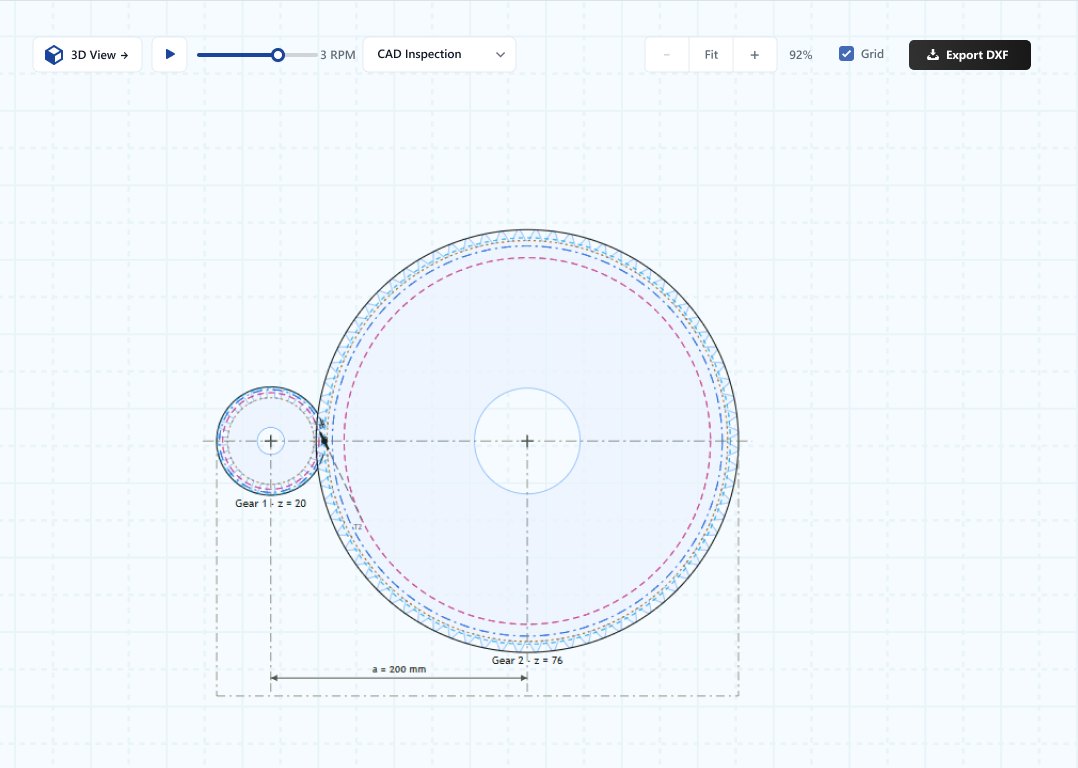
Inspect the gear pair in 2D or 3D, then export DXF geometry for your CAD and manufacturing workflow.
Learn more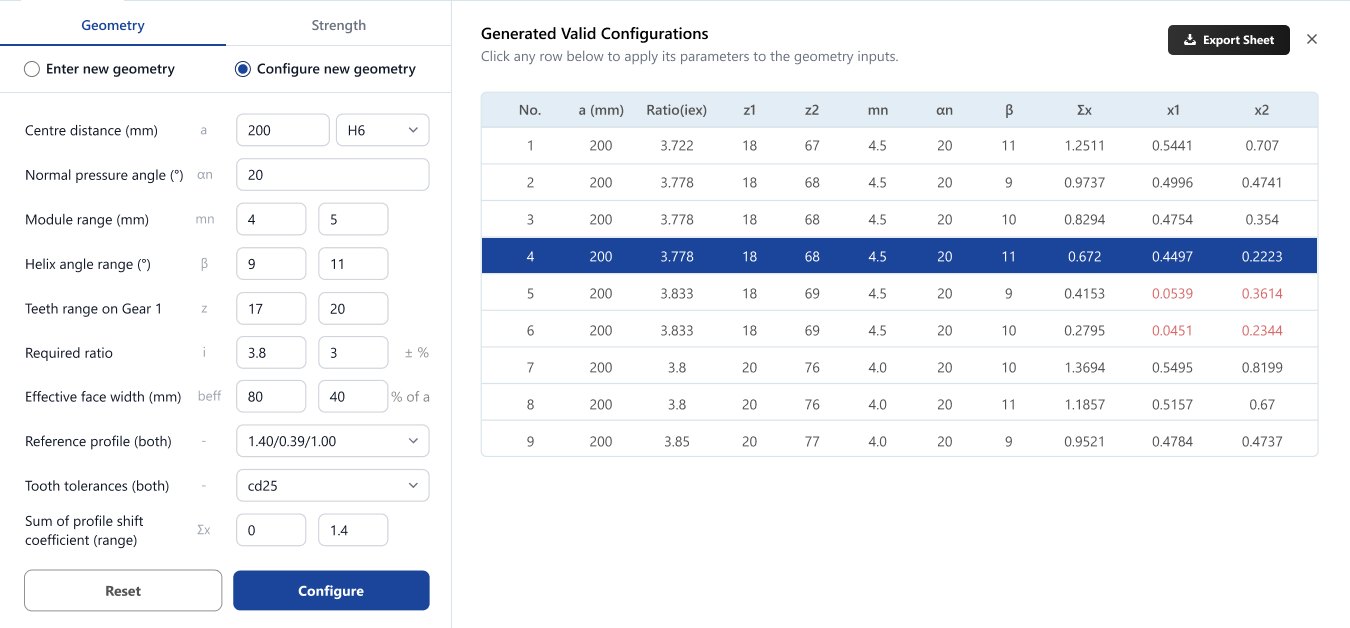
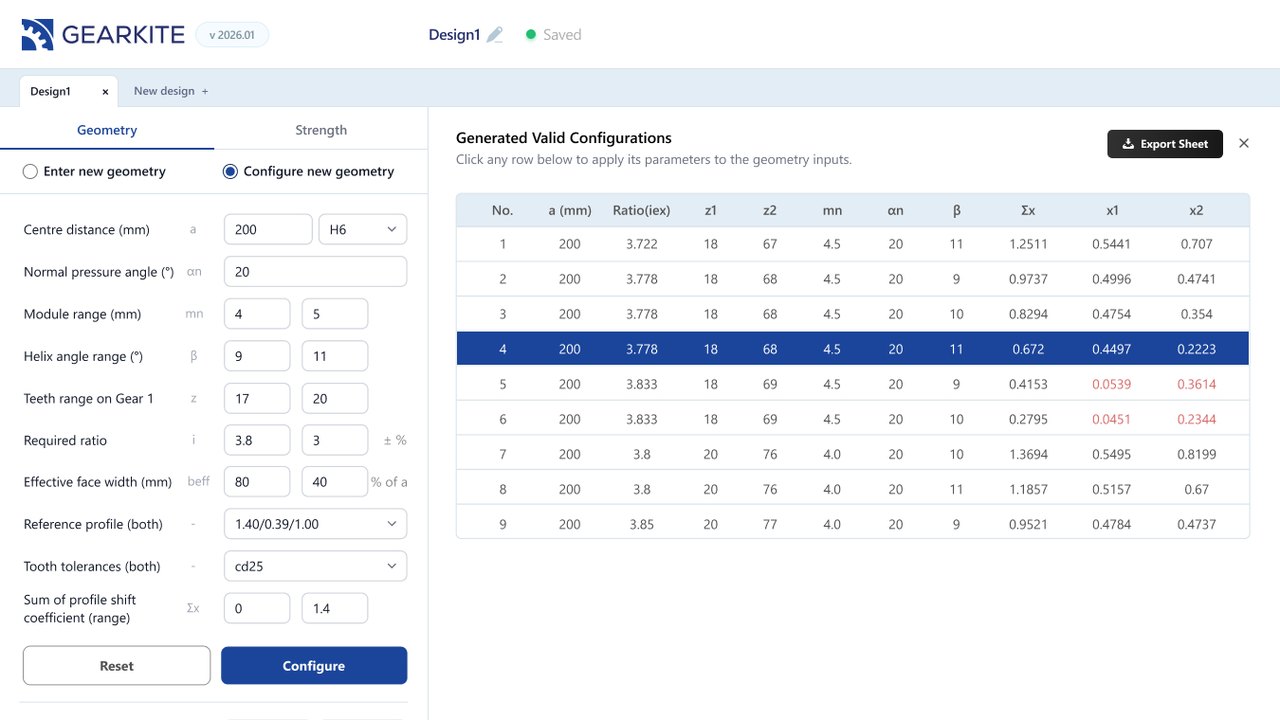
Enter ranges for module, helix angle, teeth and ratio. GEARKITE lists every valid configuration so you can pick the best one.
Learn more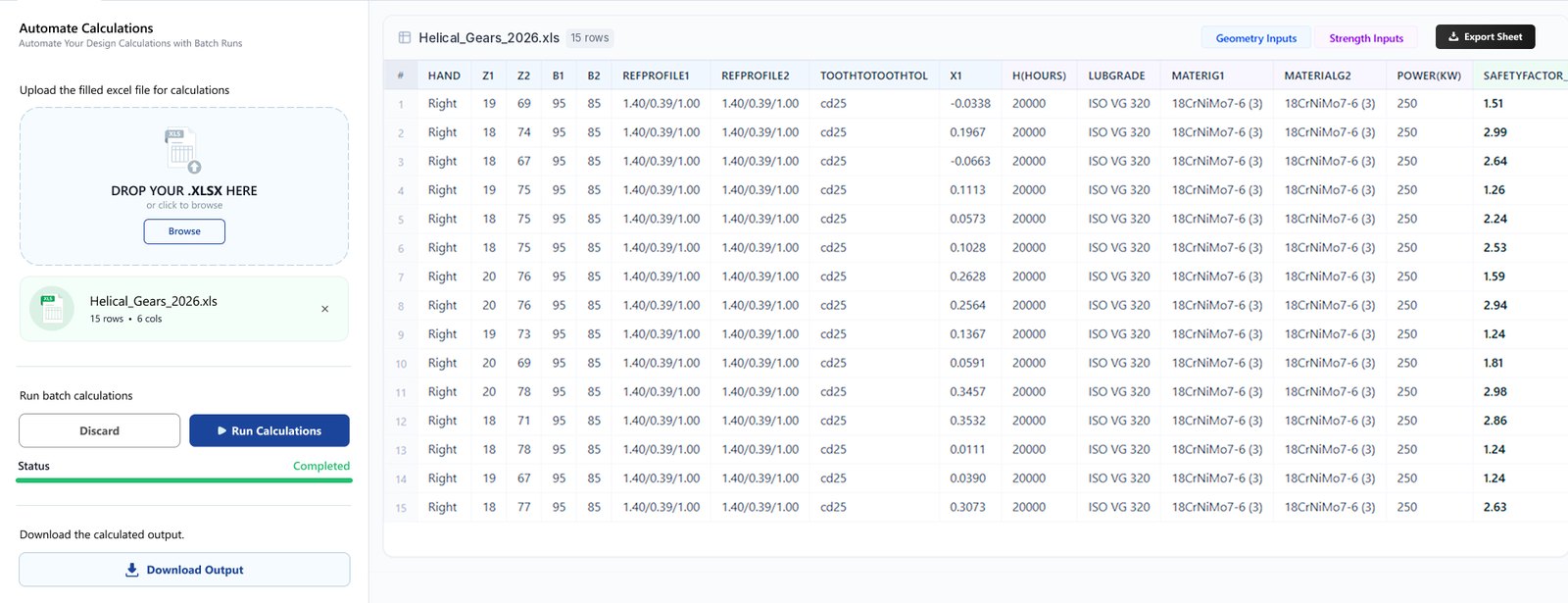
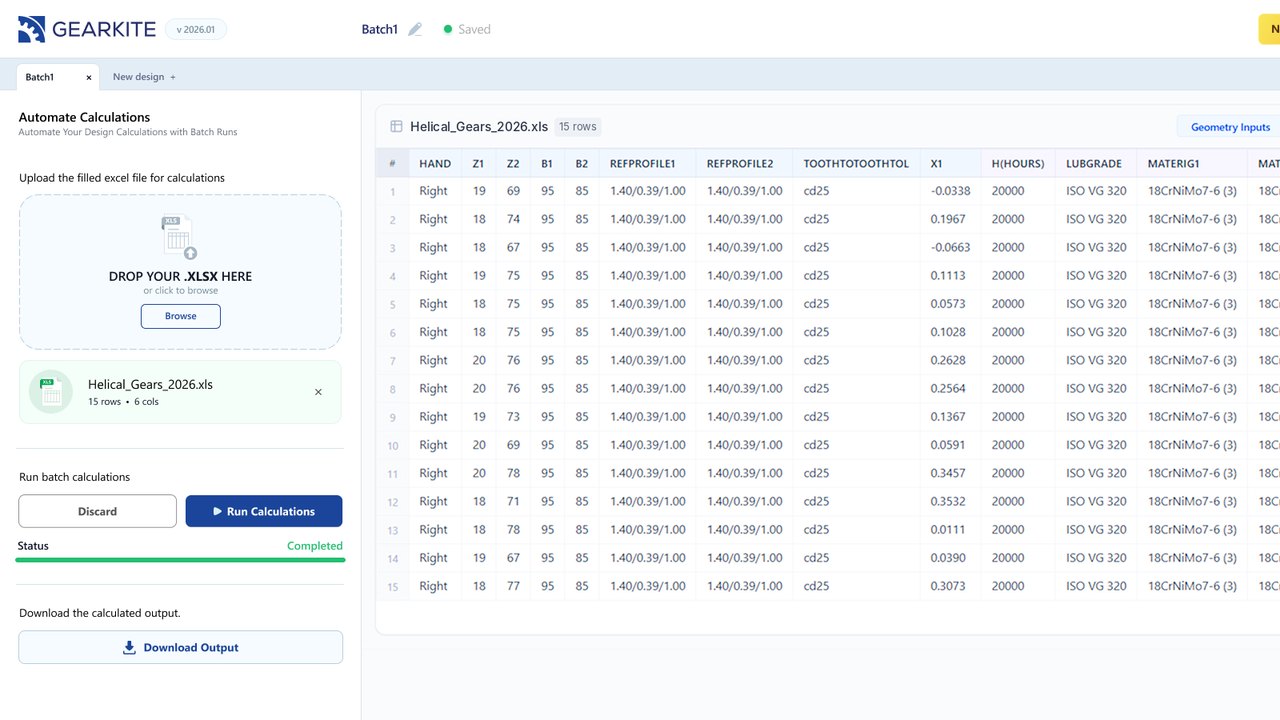
Upload an Excel sheet of design cases, run them in one go and download the calculated results.
Learn moreTraditional gear software is installed and licensed on individual workstations. GEARKITE runs in the browser, so your whole team can open it on any computer and get to work.
Sign in and start designing. No setup files, no IT tickets, no workstation requirements.
New features and improvements reach every user automatically.
At the office, on the shop floor or at home.
Go from gear requirements to calculated, validated and manufacturable designs, faster.